
Blood Pressure
Log systolic, diastolic and pulse with body state, date, time and notes. Readings are instantly classified as Normal, Elevated, High or Critical.
24h averages and trends
Blood Sugar & Diabetes Diary keeps blood pressure, blood sugar, heart rate, weight & BMI, water intake and daily steps together in a single tracker, with instant status ranges, weekly trends and shareable reports. No account, no cloud, no ads in the way of your numbers.
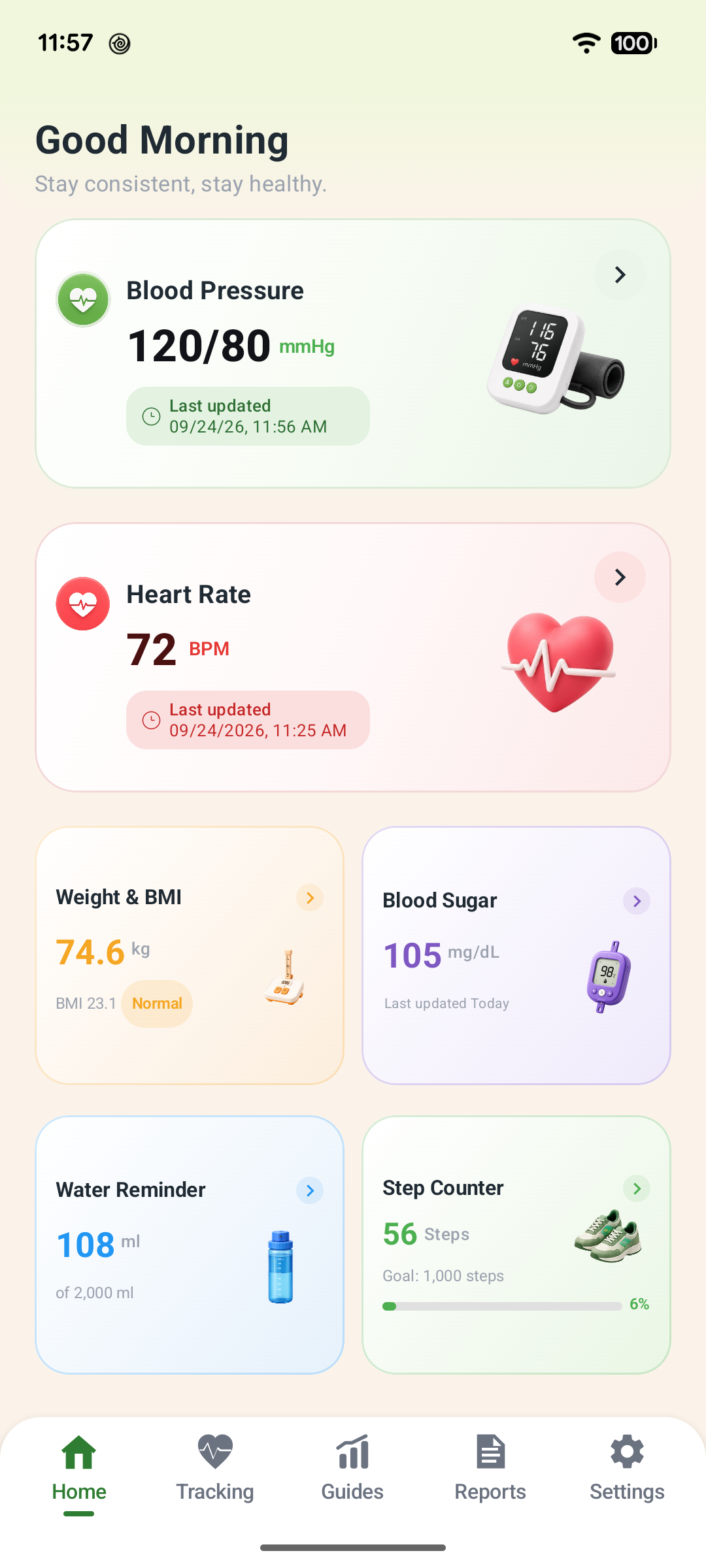


Each module has its own dashboard, history and statistics, and every reading feeds the same weekly trends, guides and exported report.
Log systolic, diastolic and pulse with body state, date, time and notes. Readings are instantly classified as Normal, Elevated, High or Critical.
24h averages and trendsTrack fasting, before or after meal, random and bedtime readings in mg/dL, note whether insulin was taken, and watch your 3 day and 7 day averages.
Diabetes ready
Record resting and post activity BPM alongside your BP entries, so pulse always sits next to the reading that produced it.
Pulse history
Enter weight and height in the units you think in (kg or lb, cm or ft/in), and BMI is computed for you, with max / min / average charts and a plain language category.
Auto BMI
Set a daily intake goal in millilitres and get gentle nudges through the day. Your progress fills as you log, and resets cleanly every morning.
Scheduled reminders
An on device pedometer using your phone's motion sensor, with a daily goal ring, calories, distance, active time and a live weekly activity chart.
No wearable needed
A Health Snapshot that grades every module at a glance, date range reports with Overview / Summary / Trends tabs, and illustrated guides on BP, heart rate, sugar, body weight and diet.
Weekly & monthly
Never miss a measurement. Schedule reminders for readings and medication, delivered by the system alarm so they fire even after a reboot.
Reboot safeOne tap builds a complete CSV of every BP, sugar, heart rate and weight record, then hands it to the Android share sheet, ready to email to your doctor.
Doctor friendlyWarm cream backgrounds, soft green accents and big, honest numbers. Nothing stands between you and the reading you came to check.
Every vital, one scroll
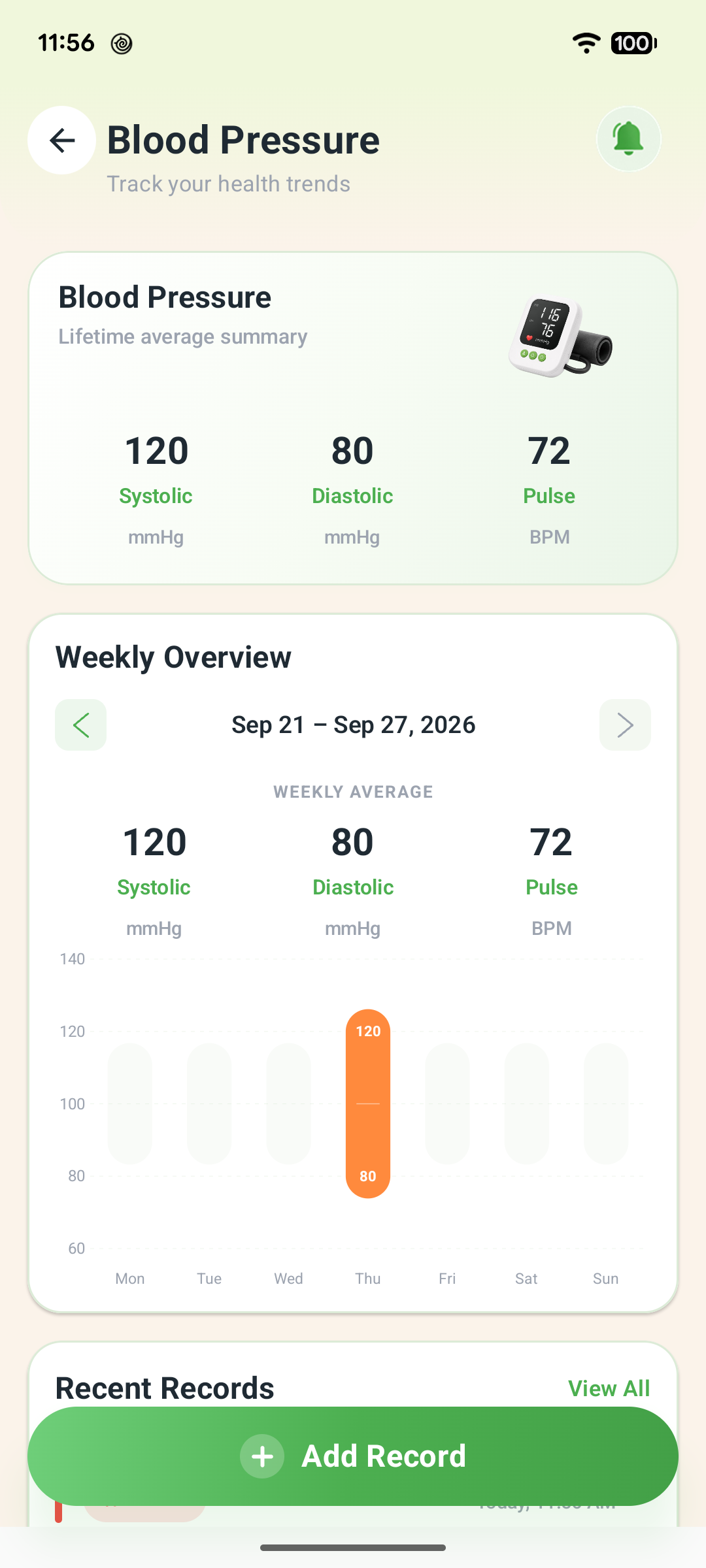
Averages & weekly chart
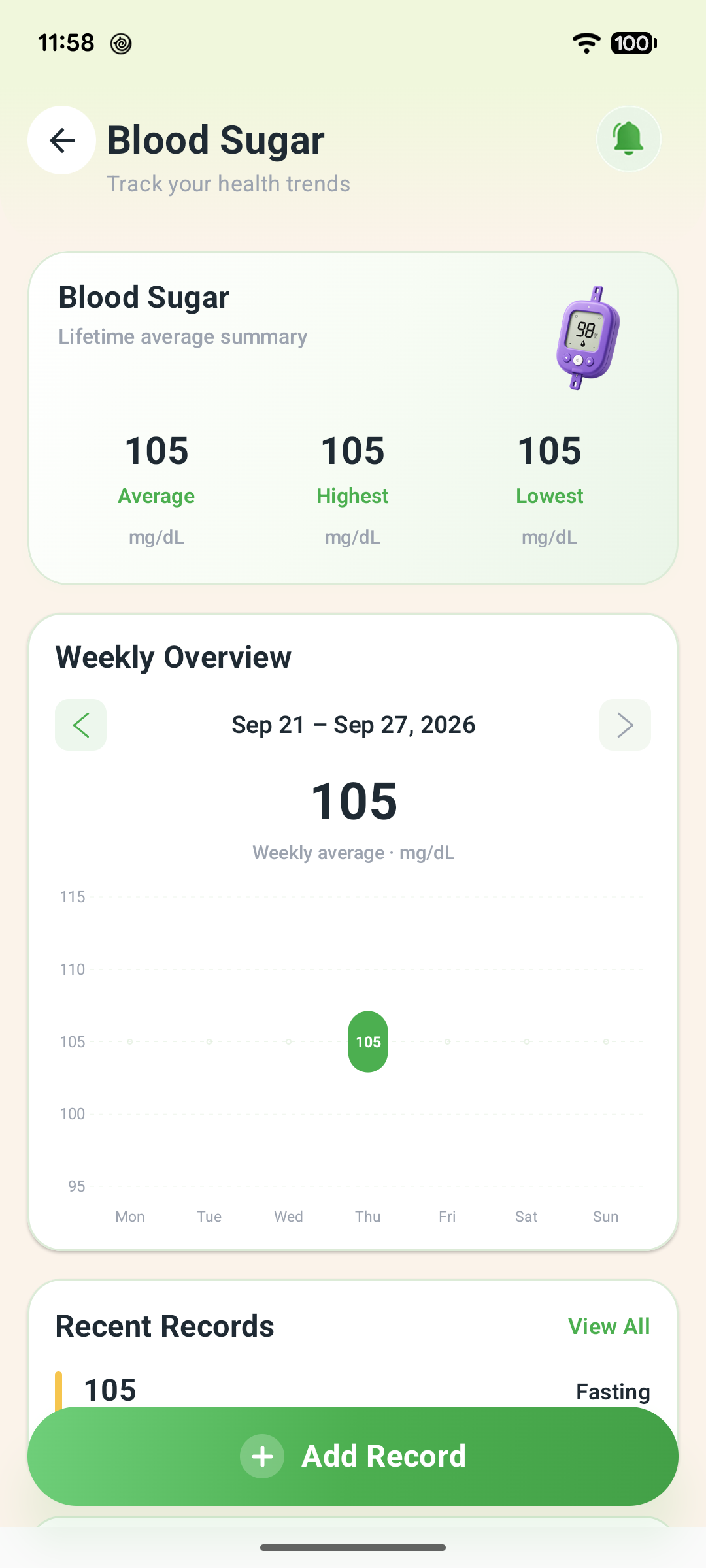
Average, highest, lowest
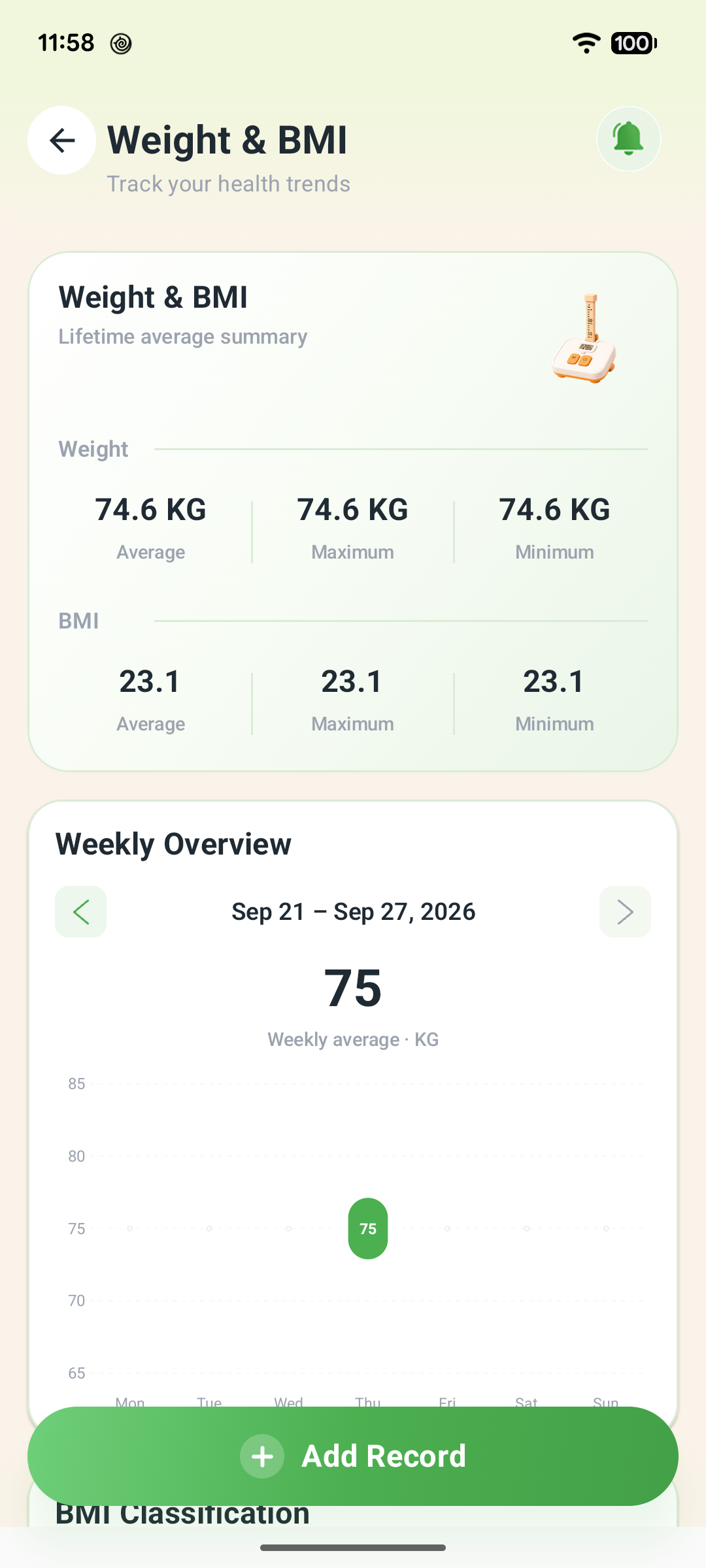
Weight and BMI together
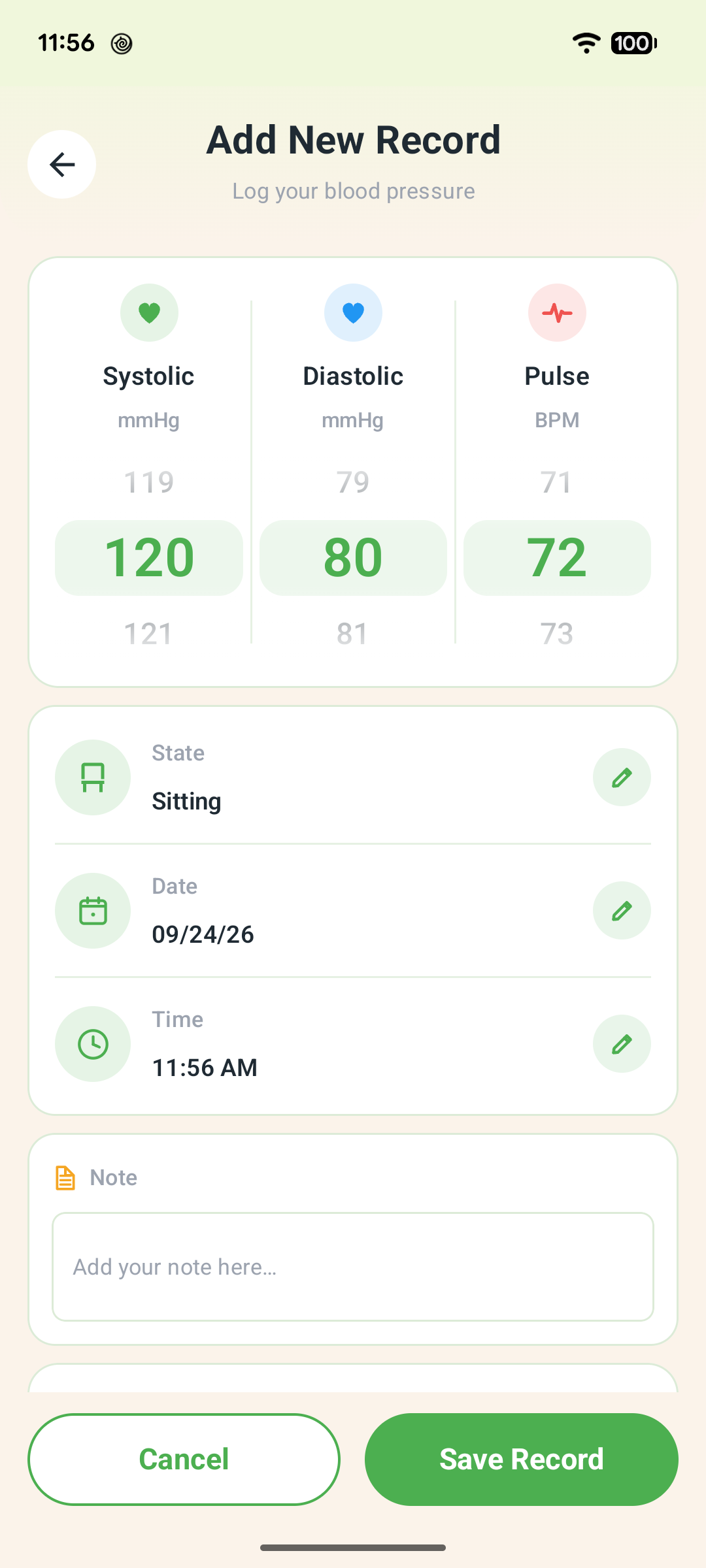
State, time & notes
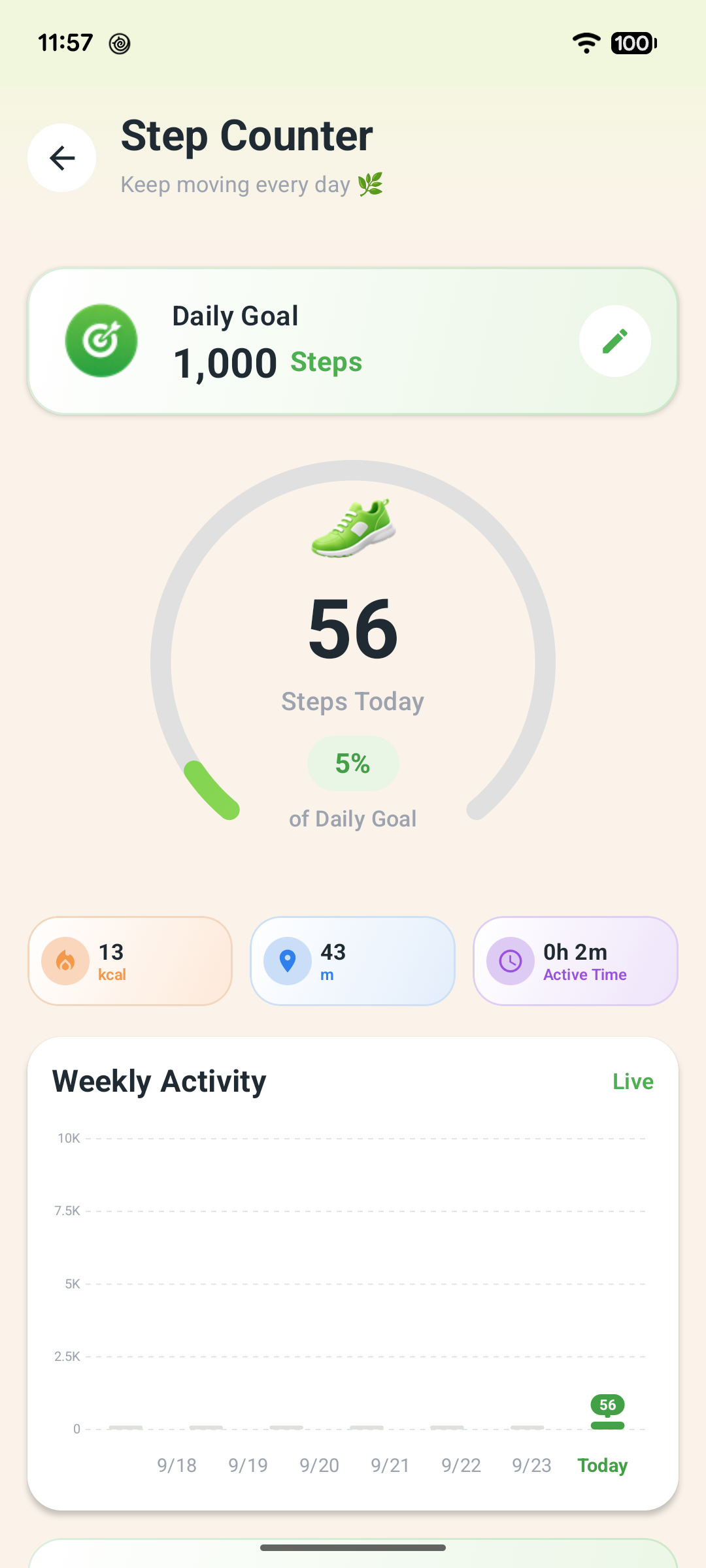
Goal ring, kcal, distance
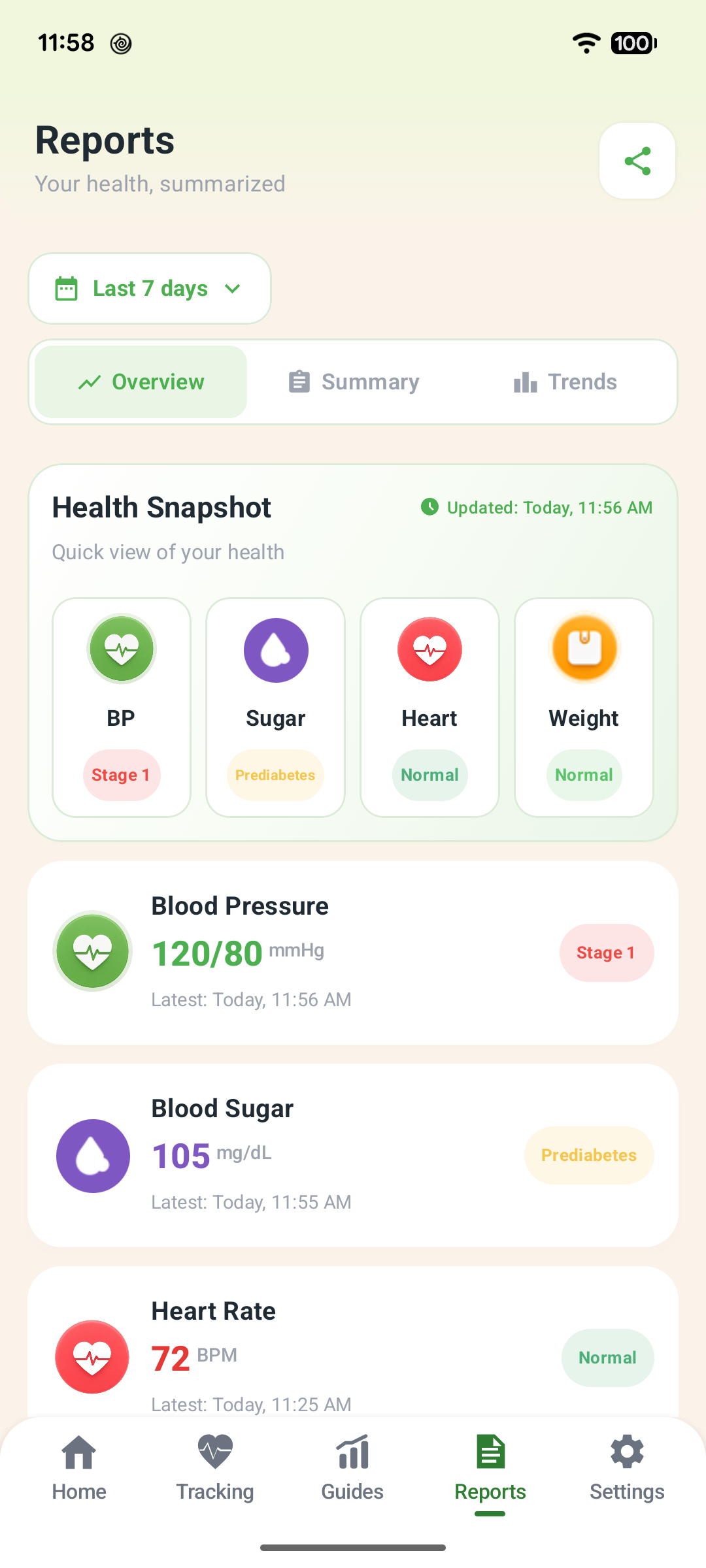
Health snapshot & status
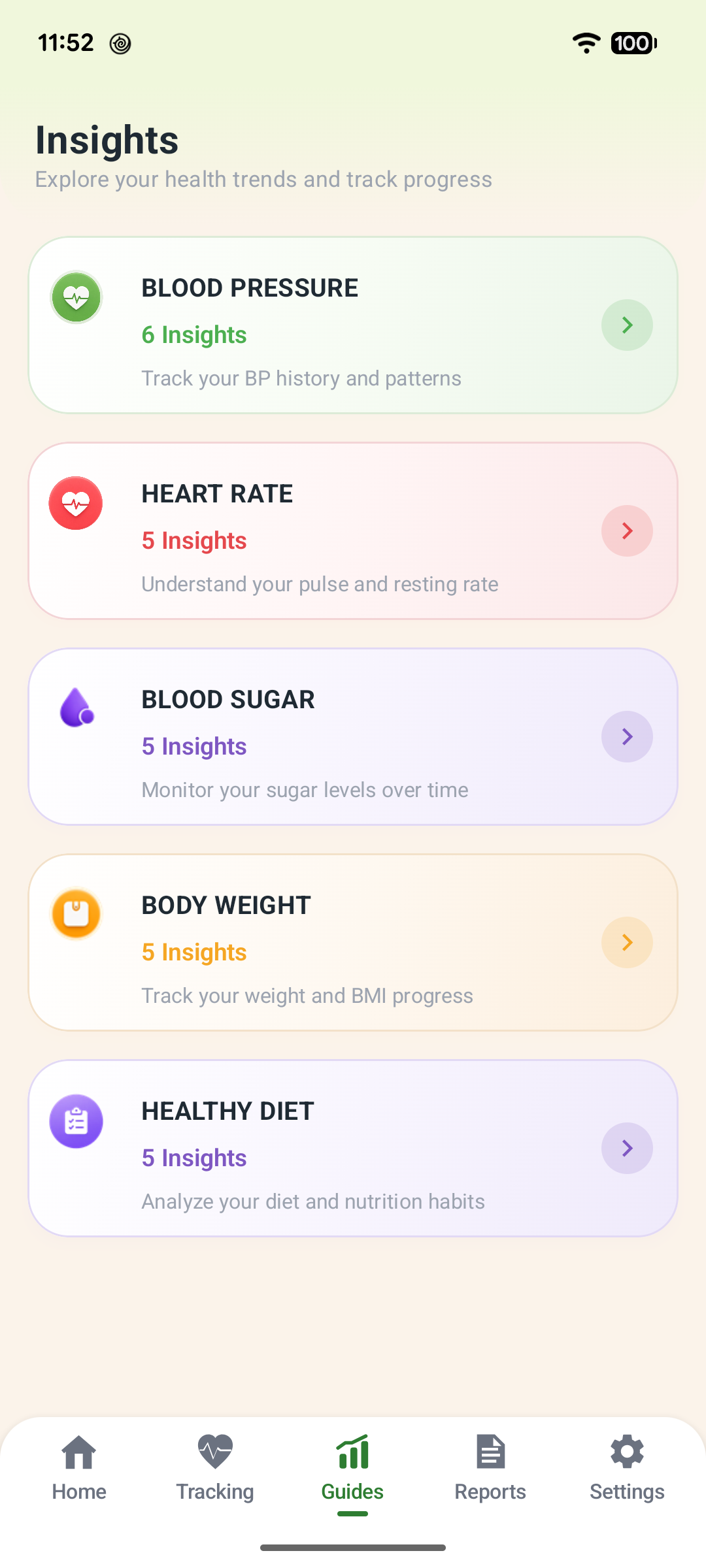
Guides you can read
A short onboarding walks you through the app and sets your daily step and water goals. No email, no password, no account to create.
Pick a module, dial in the numbers, add body state and a note if you want. Date and time are filled in for you and stay editable.
Each entry updates your averages, weekly chart and status range immediately, and every record stays editable or deletable from history.
Export a full CSV from Reports or Settings and send it straight from the Android share sheet.
Every reading you save is colour coded against these reference ranges, so a glance at your history tells you where you stand.
Blood pressure| Category | mmHg |
|---|---|
| Normal | < 120 / < 80 |
| Elevated | 120 to 129 / < 80 |
| Stage 1 | 130 to 139 / 80 to 89 |
| Stage 2 | ≥ 140 / ≥ 90 |
| Crisis | > 180 / > 120 |
Blood sugar| Measurement | mg/dL |
|---|---|
| Fasting, normal | 70 to 99 |
| Fasting, prediabetes | 100 to 125 |
| Fasting, diabetes | ≥ 126 |
| After meal, normal | < 140 |
| After meal, high | ≥ 200 |
Heart rate & BMI| Measure | Healthy |
|---|---|
| Resting pulse | 60 to 100 BPM |
| BMI underweight | < 18.5 |
| BMI normal | 18.5 to 24.9 |
| BMI overweight | 25 to 29.9 |
| BMI obese | ≥ 30 |
These are general adult reference ranges shown for convenience. Blood Sugar & Diabetes Diary is a personal wellness tracker. It does not diagnose, treat or give medical advice. Always talk to a qualified clinician about your results.
Blood Sugar & Diabetes Diary stores every reading in a local database on your device. There is no account, no server, no analytics profile and no third party data sale. The only way your data travels is when you export it and choose where to send it.
Readings live in an on device database and are removed with the app.
No email, no password, no sign in wall in front of your own numbers.
Activity recognition for steps, notifications for reminders, and internet only for Guides article images.
CSV export is manual and goes wherever you point the share sheet.
The things people ask about most: setup, troubleshooting and how to get your data out.
Tap a card on the Home dashboard, or open the Tracking tab and pick a module, then tap Add Record. Set your numbers, choose a body state, adjust the date and time if needed, and save.
Go to Settings → Notifications to manage reminder preferences, then set your daily water goal and schedule in the Water Reminder module. Allow the notification permission when prompted, or reminders cannot be delivered.
Grant the Physical activity permission, which is what Android requires before any app can read the step sensor. The counter reads your phone's own cumulative step sensor while the app is open, so open the Step Counter screen and pull to refresh to bring today's total up to date. Phones without a hardware step sensor cannot report steps at all.
Open Settings → Export Your Data, or use the export action on the Reports screen. Blood Sugar & Diabetes Diary builds a CSV of every blood pressure, blood sugar, heart rate and weight record and opens the share sheet so you can email or save it.
Tap the record in Recent Records or All History to open it, use the menu at the top right to switch to edit mode, then update or delete it. Averages and charts recalculate straight away.

Because data is stored only on your device, export a CSV before switching phones. There is no cloud account to sign back into. That is deliberate, and it is why the export button matters.
| Permission | Used for |
|---|---|
| Physical activity | Reading the step sensor |
| Notifications | Water and reading reminders |
| Exact alarms | Reminders firing on time |
| Run at startup | Restoring reminders after a reboot |
| Internet | Guides article images, and opening web links |
No permission is used to transmit your health records. See section 4 of the privacy policy for the full explanation.
Every feature that touches your health data works offline: logging, charts, averages, reminders, the step counter and CSV export all run on your device, so airplane mode changes nothing about them. The one part that needs a connection is the Guides section, whose article photographs are downloaded when you open an article.
No. Readings are entered by hand from whatever monitor you already own, and the step counter uses your phone's built in motion sensor.
Yes. Open any record from history, switch it into edit mode, and update or delete it. All your averages and charts recalculate immediately.
Use Export Your Data in Settings, or the export action in Reports. Blood Sugar & Diabetes Diary builds a CSV of every blood pressure, blood sugar, heart rate and weight record and opens the Android share sheet so you can email, print or save it.
That permission is what lets the phone's step sensor report your daily steps. If you decline it, every other module still works. You just won't see step counts.
No. Blood Sugar & Diabetes Diary is a personal wellness tracker for keeping your own records organised. It does not diagnose conditions or replace professional medical advice.
It's deleted with the app, because it was only ever stored locally. Export a CSV first if you want to keep your history.
Check that notifications are still allowed for Blood Sugar & Diabetes Diary in Android Settings, and that the app is excluded from battery optimisation. Aggressive battery savers on some devices will silently cancel scheduled alarms.
Step data comes from the phone's hardware sensor, which resets when the device restarts. Blood Sugar & Diabetes Diary stores a daily summary so past days stay intact. If today's number looks low, open the Step Counter screen and refresh to resync with the sensor.
BMI is calculated from the weight and height you entered on that record. Open the record in edit mode, correct the height (cm or ft/in) or weight (kg or lb), and the BMI and its category recalculate on save.
Charts need at least one saved record in the selected period. Add a reading, or widen the range on the Reports screen. It defaults to Last 7 days and takes a custom range too.
Records are stored locally and are removed when the app is uninstalled or its storage is cleared. We have no server copy to restore from, so export a CSV regularly if you want a long term archive.
Questions, bug reports or anything about your data. Tell us your device model and Android version and we can usually reproduce the problem straight away.

Blood Sugar & Diabetes Diary is a free Android app from UtilEdge. Install it, log your first reading, and let the trends do the rest.
Android 7.0 (Nougat) and above. Free. No account required.